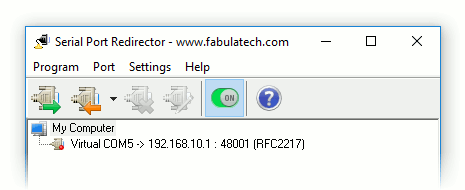
Creating Client Virtual Port
Serial Port Redirector allows you to redirect all data from virtual serial port to the specified IP address and TCP-port.
1.
Click  to create client virtual serial port.
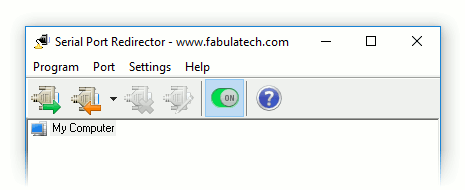
2. Select virtual serial port number from the drop-down list.
Note: Serial Port Redirector supports COM ports overlapping. It means that virtual serial port can have the same name as existing physical COM port.
If overlapped virtual COM port is created, it will be accessed instead of physical one.
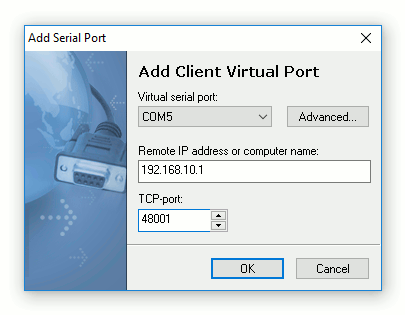
3. Specify remote host (either IP address or computer name) and TCP-port.
Note: Click to configure advanced settings for virtual serial port. Refer to Configuring Client Virtual Port for details.
Then click button.
The program will create virtual serial port. Every time, when communications application opens this serial port, it connects to remote computer. All data the application writes to the serial port are automatically redirected to the specified IP address and TCP-port.